

Imagine trying to squeeze months of back-and-forth debate, endless meetings, and slow development into a single, high-impact week. That's a design sprint in a nutshell.
It’s a structured, five-day process for tackling huge challenges head-on. The whole point is to design, prototype, and test brand-new ideas with actual users, fast. Think of it less like a normal project and more like a creative pressure-cooker, where your team follows a proven recipe to build something amazing against the clock.
Your Five-Day Sprint To A Tested Prototype
A design sprint is the ultimate shortcut. It lets your team leapfrog the painfully long cycle of building and launching something just to find out if people actually want it. Instead, you get a framework for clear, real-world feedback in days, not months.
This intense, all-hands-on-deck process is built to slash risk, get everyone on the same page, and help you make those scary business decisions with a whole lot more confidence. The magic is in creating a realistic prototype—basically, a convincing facade of a final product—that users can click, tap, and react to. This isn't about writing perfect code; it's about making something just real enough to prove (or disprove) your biggest assumptions.
Where Did The Sprint Come From?
This method wasn't just pulled out of thin air. It was locked in and formalized back in 2010 by Jake Knapp at Google Ventures, which was a huge moment for rapid product development. When the book 'Sprint' hit shelves in 2016, the idea really took off, with brands like Slack, Airbnb, and LEGO jumping on board.
"A design sprint compresses months of potential work into an intense week. This is very helpful for design teams. It allows us to glimpse the future, without the time or the expense of building a complete and finished solution."
This simple visual from Wikipedia really captures the essence of the sprint loop—moving from a rough idea to validated learning.
The diagram shows that beautiful cycle of building something, putting it in front of people to measure how it lands, and learning from their feedback to figure out what's next. It’s a system designed for speed and clarity.
From Big Ideas To Tangible Prototypes
The process is meticulously structured to spark creativity without getting bogged down in endless debate. While it shares DNA with other agile frameworks, its tight timeline and laser focus on one critical challenge make it totally unique.
Lots of teams pull in elements from other collaborative methods, and you can see how some of these concepts overlap in our guide on building a great https://creativize.net/blog/design-thinking-workshop-agenda.
Ultimately, the finish line is a high-fidelity prototype that answers your team's most burning questions. To make sure your sprint ends with something truly effective, it helps to understand what goes into good prototyping. There’s a fantastic resource that explains how to create a product prototype that can de-risk your launch and pull in truly meaningful insights.
Cracking Open the Five-Day Design Sprint
The classic design sprint is a five-day pressure cooker. It’s an intense, structured week where each day has a single, critical mission. This isn't just a random schedule; it's a carefully crafted process that builds on itself, day by day, to get you from a massive problem to a tested solution without getting bogged down in endless meetings.
The whole thing is designed to fast-forward you into the future, giving you a sneak peek at how customers will react to your big idea before you commit months of work.
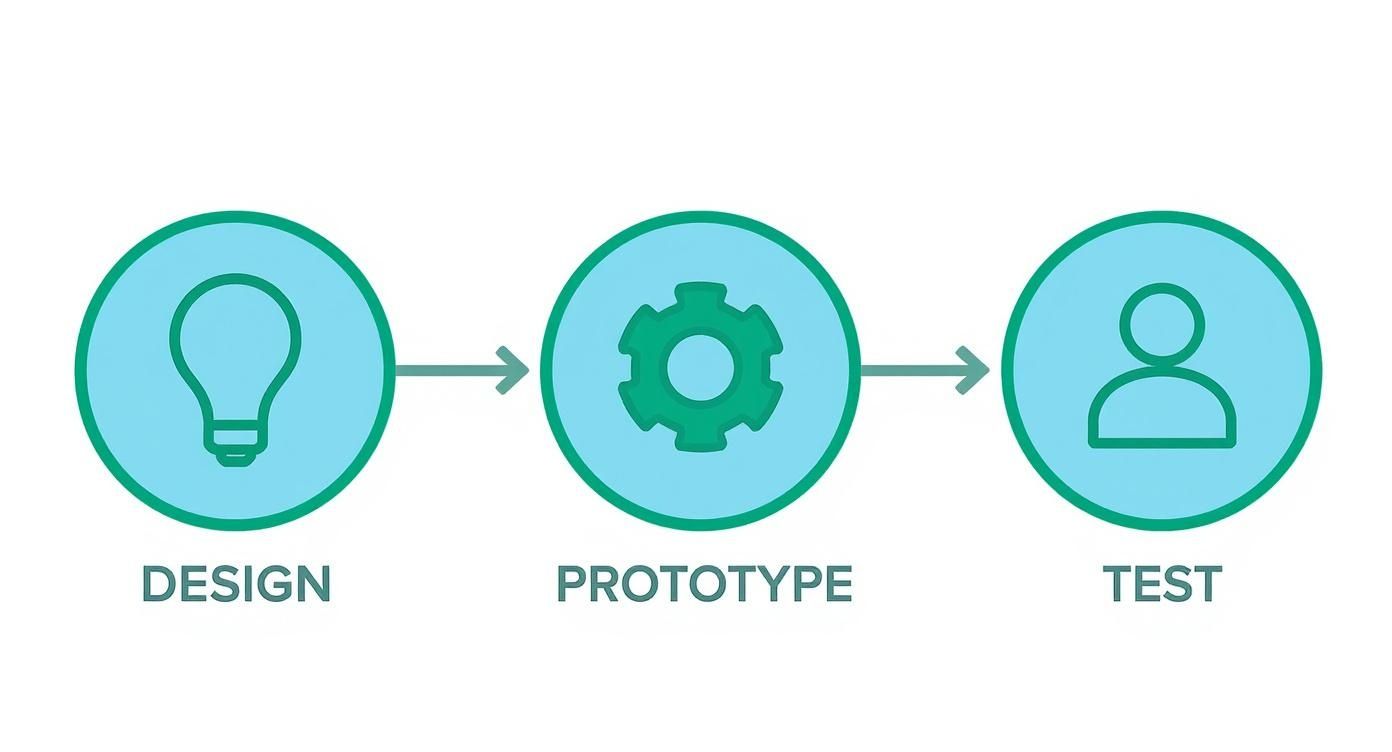
This process creates a powerful learning loop. You design a fix, build just enough to make it feel real, and then put it in front of actual users to see what happens.
Monday: Understanding the Beast
Day one is all about getting everyone on the same page. The goal isn't to solve anything yet. It’s about soaking up all the information you can and mapping out the problem so you have a crystal-clear target for the week.
Here’s how you get there:
- Expert Interviews: You’ll pull in people from across the company—customer support, sales, engineering, you name it. They have the ground-level knowledge you need.
- "How Might We" Notes: As everyone listens, they’ll jot down challenges and ideas on sticky notes, always starting with "How Might We…?" This simple trick turns complaints into opportunities.
- Mapping It Out: The team works together to draw a simple map of the customer’s journey, pinpointing exactly where the problem hits.
By the end of Monday, you'll have a laser-focused target. You’ll know exactly which part of the problem you're tackling and for which specific customer. That decision alone is worth its weight in gold.
Tuesday: A Battle of Ideas
With your target locked in, Tuesday is for dreaming up solutions. But this isn't your typical freewheeling brainstorm session. It’s a structured process that gives everyone—not just the designers—a chance to sketch out their best ideas individually.
The day kicks off with Lightning Demos. Everyone gets three minutes to show off a cool product or service they admire. The point isn’t to copy, but to build a library of great ideas you can borrow from and remix.
The main event is a four-part sketching exercise that takes everyone from scribbled notes to a fully-formed, anonymous solution concept. It's all about the idea, not how well you can draw.
This "work alone, together" approach is key. It avoids groupthink and ensures you have a ton of different approaches to choose from before anyone starts debating. It’s all about going wide and exploring every possible angle.
Wednesday: The Big Decision
Wednesday is decision day. You’ve got a wall full of potential solutions, and now it’s time to pick one winner. This is where your Decider really steps up, but their choice is guided by the wisdom of the whole team.
Choosing the winning idea is a surprisingly structured and calm process:
- Art Museum: All the anonymous sketches from Tuesday are taped to the wall. Everyone walks around and reviews them in silence, like in a gallery.
- Heat Map: Team members use little dot stickers to mark interesting parts of the sketches, still without talking. A "heat map" of cool ideas naturally emerges.
- Speed Critique: The facilitator leads a quick discussion about the hotspots, capturing the big ideas behind them.
- Straw Poll & The Final Say: Everyone gets one vote for the concept they think is strongest. Then, the Decider makes the final call, using the team’s vote as a major piece of input.
With a winning idea selected, the team creates a storyboard. Think of it as a comic strip that lays out, step-by-step, exactly what you're going to build and test tomorrow. To see how this fits into the broader picture, check out our guide to the essential design process steps.
Thursday: Prototype Like a Pro
Thursday is all about building a believable fake. The team has just one day to create a realistic prototype—something that looks and feels like a real product, but is all smoke and mirrors. No one is writing production-level code here.
The team splits up to get it done fast:
- Makers: One or two people (usually designers or engineers) get to work building the prototype in a tool like Figma or Keynote.
- Stitcher: This person is responsible for pulling all the separate pieces and screens together into a single, seamless experience.
- Asset Collector: Someone has to round up all the copy, images, and icons needed to make the prototype feel authentic.
The goal is what’s called “Goldilocks quality.” It can’t be too rough, but it shouldn't be too polished, either. It has to be just right to get genuine reactions from users. This incredible speed is the sprint's superpower.
Friday: The Moment of Truth
Friday is why you did all this work. You’ll put your prototype in front of five real users, one at a time, and watch them interact with it. The rest of the team huddles in another room, watching a live stream and taking furious notes.
This is where the magic happens. You get unfiltered, honest feedback directly from the people you’re trying to help. Research shows that this model is incredibly effective. In fact, 90% of design sprints stick to this classic five-day structure, and 80% of teams report they successfully met their goals, like validating a new concept.
By the end of the day, there's no more guessing. You’ll know if your idea has legs, if it needs a few tweaks, or if it's time to head back to the drawing board. You get a week’s worth of learning in just five days.
Assembling Your Ideal Design Sprint Team
A design sprint lives and dies by the people in the room. You can have the perfect process, but without the right crew, you won't get far. Think of it like putting together a team for a high-stakes mission—you don't just need bodies, you need a balanced group with the right skills, diverse perspectives, and the power to actually make decisions. Nailing this mix is everything.
The sweet spot for team size is usually around five to seven people. That’s small enough to stay nimble and quick, but large enough to bring a range of expertise to the table. And here's the critical part: everyone has to commit to being fully present for the entire sprint. A team member who’s only half-in can really drag down the momentum for everyone else.
Core Roles and Responsibilities
While every team looks a little different, there are a few roles you absolutely can't skip if you want the week to run smoothly. These aren’t just job titles; they’re functions that make sure you're looking at the problem from every angle, from the business goals all the way down to the end-user's needs.
Here are the must-have players on your team:
- The Decider: This is the person who has the final say. It might be a CEO, a product manager, or a department head, but their job is to break ties and keep the ship moving in the right direction. Without a clear Decider, you risk getting stuck in endless debates.
- The Facilitator: This person is the sprint's neutral guide and timekeeper. They don’t chime in with their own ideas; their focus is 100% on the process. They keep everyone on track, manage discussions, and make sure every exercise gets done. A great facilitator is the glue that holds the entire week together.
- The Designer: The expert on all things visual and user experience. Their role is absolutely vital for sketching solutions and, most importantly, building out the high-fidelity prototype on Thursday. Their skills are what make the testing experience feel real for users. If you need a hand finding the right person, our guide on how to hire designers has some great tips.
A design sprint team should be a microcosm of your entire product organization. When you bring together diverse perspectives from marketing, engineering, and customer support, you ensure the final solution is not only desirable but also viable and feasible.
Rounding Out Your Cross-Functional Team
Beyond that core trio, a truly great sprint team needs a few other voices in the mix. These folks bring different, but equally vital, viewpoints that stop the team from building a solution in a vacuum.
These additional roles are just as crucial:
- The Engineer: This is your reality check. An engineer can tell you right away if an idea is technically possible or if it would be a nightmare to build. Their insights on day one can save you weeks of wasted effort down the road.
- The Marketing Expert: They’re the voice of the market. They know how the product will be positioned and sold, and they make sure the final solution has a compelling story that will actually connect with your audience.
- The Customer Service Rep: This person is your direct line to your users. They talk to customers every day and have a deep, real-world understanding of their biggest headaches and frustrations. Their perspective is invaluable for keeping the sprint grounded in actual user problems.
When to Run a Design Sprint and When to Wait
A design sprint is a seriously powerful tool, but it's not a magic wand for every single problem. Think of it like a specialized piece of surgical equipment—invaluable for a high-stakes, precision job, but total overkill for a routine check-up.
Knowing when to deploy a sprint is the secret to making it work. Get it right, and you save a ton of time and money. Get it wrong, and you just waste a week of your team's life. The trick is to find the right kind of challenge, one that’s big and risky enough to justify the effort.
The Green Lights: Go for a Sprint
A design sprint shines when you’re facing a "high-risk, high-reward" situation. These are the moments where you absolutely need clarity before you commit the big bucks or person-hours. If your challenge sounds like one of these, it’s a strong signal to start clearing your calendars.
You should run a design sprint when you need to:
- Kick Off a Major New Project: You're at square one with a new product or feature. A sprint gives you a solid, user-tested foundation and gets the whole team pointing in the same direction from day one.
- Solve a Critical Sticking Point: Your team is trapped in a loop, endlessly debating a core usability problem or a feature that just isn't landing. A sprint can break that deadlock with cold, hard data from real users.
- Explore a New Market or Opportunity: Got a hunch about a new audience? A sprint is a lean, low-cost way to test the waters. You can build a quick prototype and get an immediate signal on whether it's a path worth pursuing.
- Merge Different Ideas into One Vision: The CEO wants one thing, marketing wants another, and engineering has a third idea. A sprint provides a structured process to cherry-pick the best parts of every idea and combine them into a single prototype everyone can rally behind.
This isn’t just theory; the results speak for themselves. A 2018 survey from GV (Google Ventures) found that 85% of startups using design sprints reported a higher chance of hitting product-market fit. The same study revealed 70% of companies slashed development costs by at least 30%. You can dig into more of these design sprint findings over on UXPin.
When to Hit the Brakes and Reconsider
Just as important as knowing when to go is knowing when to stop. Forcing a sprint on the wrong problem is a surefire recipe for frustration. It's a focused tool, and if the problem is too broad or too tiny, you’ll just end up with disappointing results.
Here are some clear signs that a sprint isn't the right move:
If your problem is too broad and undefined. A sprint needs a specific target. "Improve our app" is way too vague. "Redesign our confusing checkout process to reduce cart abandonment" is much, much better.
If you already have the data you need. Did your user research already point to the exact problem and a clear solution? Then a sprint is just redundant. Trust your data and move straight into building it.
If the problem is a simple optimization. Sprints are not for minor tweaks. If all you need to do is A/B test a headline or change a button color, a full five-day sprint is like using a sledgehammer to crack a nut.
If you lack a true Decider. The whole process hinges on having someone with final authority in the room to make the tough calls. If they can’t commit, the sprint will grind to a halt. A team without a Decider is a ship without a rudder.
Choosing the right moment is a strategic call. A sprint should feel like a necessary, exciting intervention—not just another meeting clogging up the calendar. This thinking lines up perfectly with lean startup principles, something our guide on how to validate a business idea gets into more detail on.
Design Sprint Decision Checklist
Still on the fence? This quick checklist should help you figure out if a sprint is your best next move.
| Consideration | Ideal for Sprint (Yes) | Alternative Approach Better (No) |
|---|---|---|
| Problem Scope | A specific, complex challenge (e.g., redesigning a user onboarding flow). | The problem is too broad ("increase revenue") or too small (fixing a typo). |
| Risk Level | High risk. A wrong move could cost significant time and money. | Low risk. The consequences of failure are minor. |
| Existing Data | You have assumptions and questions, but not enough data to act confidently. | You already have clear user data pointing to a specific solution. |
| Team Alignment | Stakeholders have conflicting ideas or are stuck in endless debate. | The team is already aligned on a clear path forward. |
| Resource Commitment | You can get key people, including a Decider, in a room for 4-5 days. | Key decision-makers or team members are unavailable. |
| Project Stage | At the beginning of a new product/feature or when hitting a major roadblock. | The product is mature and only needs minor, iterative improvements. |
Ultimately, if you checked "Yes" for most of these, a design sprint is likely a fantastic investment. If you found yourself nodding along with the "No" column, it's probably better to look at other methods like A/B testing, user interviews, or just getting down to development.
Practical Tips and Common Pitfalls to Avoid
Knowing the design sprint process is one thing. Actually running a smooth one? That's a whole different ballgame.
Like any high-stakes project, success often boils down to solid prep and dodging the usual mistakes. A few smart adjustments can turn a week that feels like total chaos into a focused, productive push that delivers real answers.
The best sprints begin long before Monday morning. Preparation is everything. Think of it like a chef getting their mise en place ready before the dinner rush—having everything chopped, measured, and ready to go makes the actual cooking process flow. The same logic applies here.

Pro Tips for a Flawless Sprint
To keep your design sprint on track and the energy high, build these habits into your week. They might seem small, but they have a massive impact on the team's focus and momentum.
- Define a Crystal-Clear Problem: You need to start with a specific, answerable question. "Improve our app" is way too vague. "Redesign our confusing checkout process to reduce cart abandonment by 15%" — now that's a perfect sprint challenge.
- Book User Testers in Advance: Whatever you do, don't wait until Thursday to find people for your Friday tests. Recruiting and scheduling five qualified users takes time, so get this locked in the week before your sprint even kicks off.
- Enforce a "No Devices" Rule: Laptops and phones are creativity killers. The second people get distracted, the group's energy just plummets. A strict no-devices policy during the exercises makes sure everyone is 100% present and engaged.
- Trust the Process (Even When It's Messy): The middle of a sprint can feel chaotic, especially during the big ideation phase on Tuesday. You have to trust the structure. The whole framework is designed to pull order out of that beautiful mess.
A design sprint is an intense, focused effort. Protecting that focus is the facilitator's most important job. Every distraction, from a wandering stakeholder to a buzzing phone, chips away at the team's ability to solve the core problem.
Common Pitfalls That Can Derail Your Progress
Just as important as knowing what to do is knowing what not to do. So many teams stumble over the same hurdles. Being aware of these common pitfalls is the first step toward avoiding them and keeping your sprint on the rails.
A classic example? A disengaged Decider. If the person with the final say isn't fully present or gets hesitant when it's time to make a tough call, the whole sprint can grind to a halt. Their job is to break ties and give clear direction. When they're not there, it creates a vacuum that leads to indecision and wasted time.
Another major mistake is biting off more than you can chew. A sprint is built to solve one critical piece of a bigger puzzle, not the whole thing at once. Trying to boil the ocean in five days will only get you a shallow, unfocused solution. This is a classic project-killer, and you can learn more about how to handle it by understanding how to avoid scope creep.
Here are a few other all-too-common mistakes to watch out for:
- Skipping User Testing: The entire week builds up to Friday's tests. If you skip them, you end the week with a pile of unproven ideas. That pretty much defeats the whole purpose of the sprint.
- Inviting Too Many People: A sprint team should be small and nimble—ideally 5-7 people. Bigger groups just slow down decision-making and make it way harder for everyone to contribute.
- Ignoring the Facilitator: The facilitator is your neutral guide for the process. When team members (especially leaders) go rogue and ignore their direction, the structure falls apart, and the sprint risks turning into just another unstructured, go-nowhere meeting.
How to Find Talent to Facilitate Your Design Sprint
Getting a design sprint right really boils down to having a great facilitator. This person isn’t just a meeting moderator; they’re the neutral guide who keeps the energy up, steers conversations away from rabbit holes, and makes sure the whole process stays on track.
You could pick someone from your internal team, but there’s a massive upside to bringing in an outside pro.
An external facilitator brings a fresh perspective, totally free from office politics or any preconceived notions about the project. Their only goal is the integrity of the sprint. Because they live and breathe this methodology, they make sure every exercise is done right, preventing the team from getting stuck or, even worse, skipping the steps that lead to real insights.
Identifying the Right Professionals
You aren't just looking for a project manager. The best facilitators have a solid background in UX, a knack for leading workshops, and a real talent for managing group dynamics. They know exactly how to encourage the quieter folks to speak up and when to politely shut down a debate that’s going in circles.
Keep an eye out for people with titles like:
- UX/UI Designers: Many seasoned designers have run sprints themselves. They get the entire process, from the messy whiteboard sketches to the polished prototype, on a deep, practical level.
- Product Strategists: These are the experts at framing problems and guiding teams toward solutions that users will actually love.
- Dedicated Sprint Facilitators: You'll also find a growing number of freelancers and consultants who specialize only in running design sprints. They've seen it all.
The real magic of a sprint happens when the facilitator creates a space where people feel safe. When your team can throw out wild ideas without fear of judgment, that's when you stumble upon the truly game-changing solutions.
Assembling Your Full Sprint Support Team
Beyond the facilitator, you might need some extra hands on deck to build the prototype on Thursday. This is where you can get really smart with your resources.
Platforms like Creativize make it incredibly easy to find local freelance talent on demand. Need a UI designer to mock up screens in Figma? A developer to code a quick proof-of-concept? You can assemble a powerhouse team just for the week, perfectly matched to the challenge at hand.
And if you want to make sure you’re attracting the absolute best people for your sprint team, it's worth checking out some new ideas on reimagining the design interview. Finding the right people is always the first step in turning a good idea into a tested reality.
Got a few lingering questions about how a design sprint works in the real world? Let's clear them up.
How Much Does a Design Sprint Actually Cost?
This is a big one, and the answer really depends. Your biggest cost is always going to be your team’s time—think a full week's worth of salaries for 5-7 of your most critical people.
If you bring in an outside facilitator (which we highly recommend), their fees can run anywhere from a few thousand bucks to upwards of $20,000, depending on how seasoned they are.
You’ll also want to budget for a few other things:
- User recruiting: You'll need to thank your testers for their time. Plan for about $50-$150 per person.
- The room and supplies: Whiteboards, a mountain of sticky notes, good markers, and plenty of coffee and healthy snacks are non-negotiable.
- Prototyping tools: If your team isn't already set up with licenses for something like Figma or Adobe XD, you'll need to factor that in.
But don't think of it as just a cost. It's an investment. Dropping a chunk of change on a one-week sprint that saves you from burning six months (and hundreds of thousands of dollars) building the wrong thing? That's a massive win.
Can We Run a Design Sprint Remotely?
Absolutely. While the original sprint was all about getting everyone in a room together, the process has adapted beautifully to the remote world. It just takes the right tools and a bit of discipline.
With digital whiteboards like Miro or Mural, a solid video conferencing setup, and a facilitator who knows how to command a virtual room, you can get the same results.
The secret to a great remote sprint is all about focus. A sharp facilitator will be ruthless about the schedule, build in lots of screen breaks, and use every trick in the digital playbook to keep everyone engaged and contributing.
What If We Don't Have Five Full Days?
Look, we get it. A full week is a huge commitment. While the five-day sprint is the gold standard for a reason, you can definitely run a condensed 3- or 4-day version.
Usually, this means squishing the "Understand" and "Sketch" days together or just making decisions a whole lot faster. It can work, but proceed with caution. Shortening the timeline puts a ton of pressure on the team and you might not dig as deep as you need to.
This compressed format works best for smaller, tightly-scoped problems where you've already done a bit of homework. Anything less than three days, though? You're probably going to walk away with more questions than answers.
Okay, the Sprint's Over. Now What?
When the dust settles on Friday, you'll have a pretty clear signal: your idea is a go, it needs some serious tweaking, or it's a total non-starter.
What happens next is simple. If the user tests were a hit, you now have a validated prototype and a green light to start building. If the feedback was a mixed bag, you have incredibly specific insights to fuel another, more focused sprint.
And if the idea completely bombed? Pop the champagne! You just saved yourself months of time and money chasing a dead end. That's a victory in itself.
Ready to build the dream team for your next big idea? Creativize is the fastest way to find and hire local freelance facilitators, UX/UI designers, and prototype developers to make your design sprint a smashing success. Discover top creative talent in your area.